> For the complete documentation index, see [llms.txt](https://docs.nested-knowledge.com/llms.txt). Markdown versions of documentation pages are available by appending `.md` to page URLs; this page is available as [Markdown](https://docs.nested-knowledge.com/your-nests/nest-settings.md).
# Nest Settings
Manage nest-wide access, workflow settings, versions, and lifecycle actions.
**Settings** controls the parts of a nest that affect your whole review. Use it to manage access, select workflow modes, save versions, and copy, rename, or delete the nest.
Many settings belong to a specific workflow stage. This page covers nest-wide controls and links to stage-specific guidance.
### Open Settings
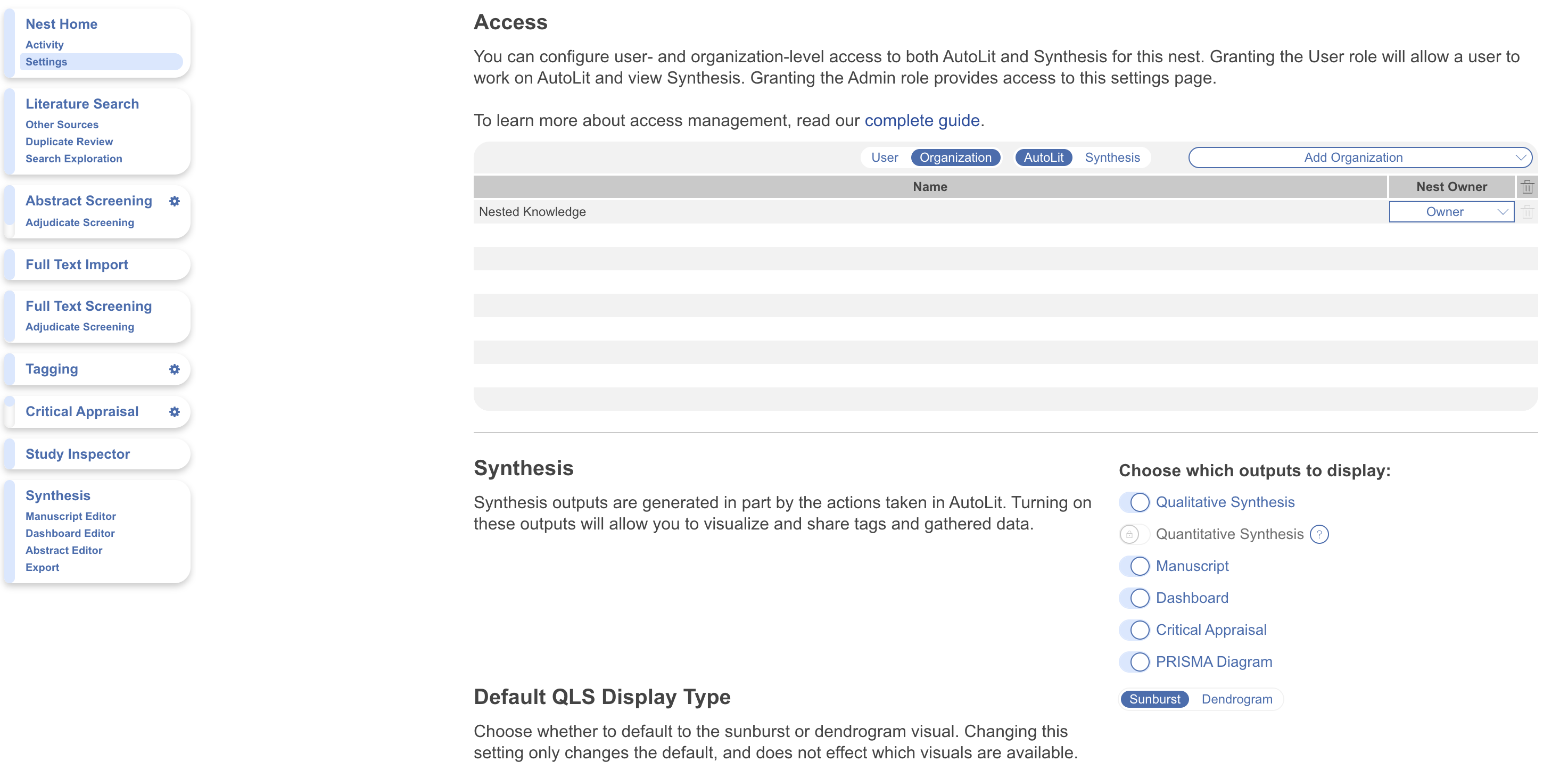
In a nest, select **Settings** beneath **Nest Home** and **Activity**. Only the nest **Owner** and **Admins** can open **Settings**.
If you can't see **Settings**, ask the nest **Owner** or an **Admin** to grant you **Admin** access. See [Roles](/collaborate/member-management/roles.md) for each role's permissions.
Open Settings from the Nest Home navigation menu.
### Settings That Apply To The Whole Nest
These controls affect the nest itself, rather than one workflow stage.
#### Allocation
**Allocation** lets you assign records to reviewers across your review workflow. When enabled, it adds an **Allocation** page beneath **Nest Home**.
For setup and assignment steps, see [Allocation](/collaborate/allocation.md).
#### Nest Versions
A version saves the nest at the current point in time. Save versions before major changes or at meaningful review milestones.
You save versions manually. Restoring a version creates an editable copy of the saved nest. Learn how to [save and restore Nest Versions](/your-nests/nest-versions.md).
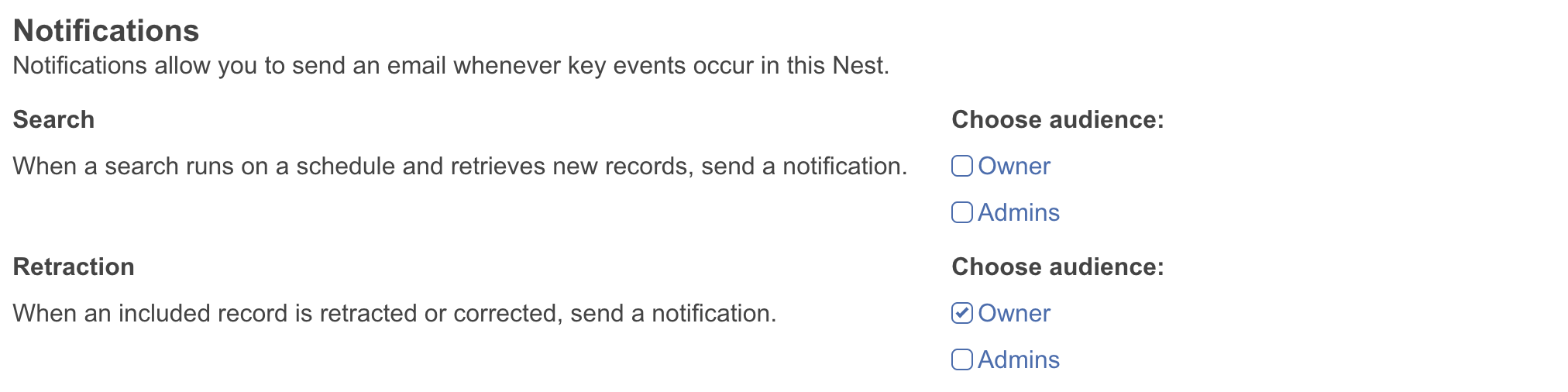
#### Notifications
Notifications keep the relevant people informed about search updates and included-record corrections.
* **Search** — Send a notification when a scheduled search retrieves new records. Choose the **Owner**, **Admins**, or both.
* **Retraction** — Send a notification when an included record is retracted or corrected. Choose the **Owner**, **Admins**, or both.
Choose who receives Search and Retraction notifications.
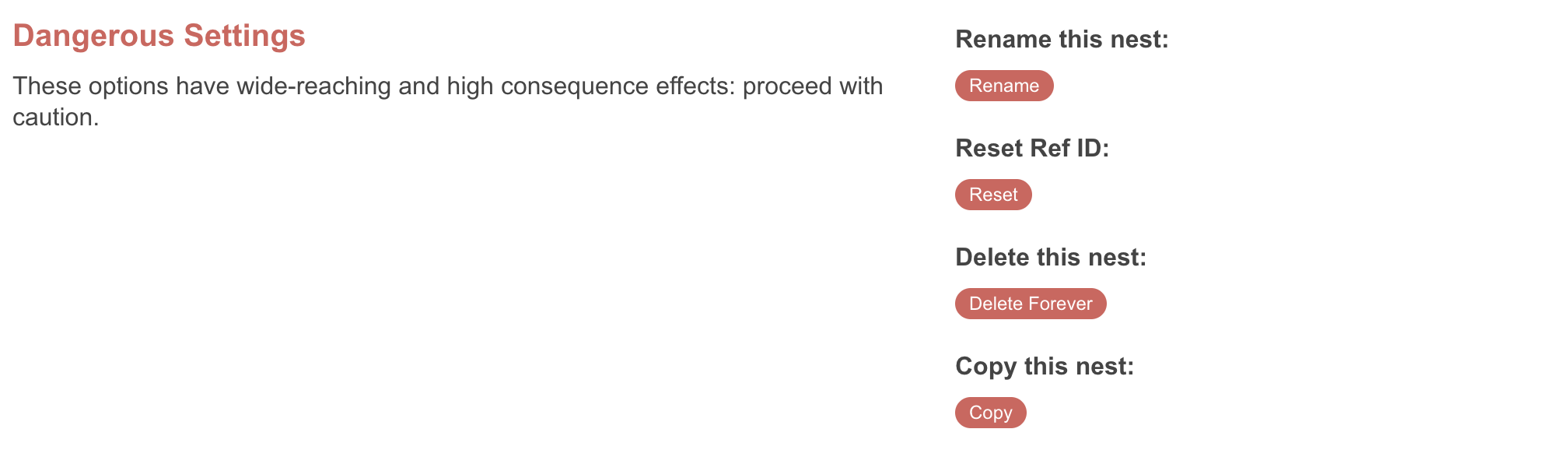
#### Copy, Rename, And Delete A Nest
**Rename** a nest when its scope or working title changes. The new name appears to everyone who can access the nest.
**Copy** a nest before a significant, irreversible change. For example, changing a screening mode after screening begins can discard work. A copy preserves a version you can return to if needed.
**Delete** a nest when it is no longer needed. Only the nest **Owner** can delete a nest. **Admins** can't delete it or reassign ownership.
#### Reset Ref IDs
Every record receives a sequential **Ref ID**. Deleting records doesn't reset the counter.
Use **Reset Ref ID** after deleting all searches in a nest and before importing replacement records. It returns the counter to 1. The action only works when the nest is empty. It also clears **Duplicate Review** data.
Reset Ref IDs only after removing all searches from the nest.
### Where To Find The Remaining Settings
The following settings are documented with the workflow stage or collaboration task where you use them:
* **Access** — Add or remove people and Organizations from the nest. See [Sharing and Access](/collaborate/sharing-and-access.md).
* **Synthesis display** — Choose which outputs appear in **Synthesis**. See [Set up Synthesis.](/review-workflow/synthesis/set-up-synthesis-outputs.md)
* **Screening mode** — Choose the reviewer and pass structures before screening. See [Configuring Screening](/review-workflow/screening/configure-screening.md).
* **Screening Model** — Generate probabilities and configure **Robot Screener** for **Dual Screening**. See [Robot Screener](/review-workflow/screening/exclusion-based-screening/robot-screener.md).
* **Import** — Import data at each stage of your review. See [Migrate to NK.](/get-started/migrate-to-nk.md)
* **Tagging** — Choose the tagging mode and control use of Smart Tags. See [Configure Tagging.](/review-workflow/tagging/configure-tagging.md)
* **Meta-Analytical Extraction mode** — Configure MA Extraction and user mode. See [Extraction for meta-analysis](/review-workflow/meta-analytical-extraction.md).
* **Critical Appraisal** — Configure Critical Appraisal system and user mode. See [Critical Appraisal](/review-workflow/critical-appraisal.md).
* **Blinding and queue order** — Control reviewer visibility and how records appear in the screening queue. See [Configuring Screening](/review-workflow/screening/configure-screening.md).
---
# Agent Instructions
This documentation is published with GitBook. GitBook is the documentation platform designed so that both humans and AI agents can read, navigate, and reason over technical content effectively. Learn more at gitbook.com.
## Querying This Documentation
If you need additional information that is not directly available in this page, you can query the documentation by asking a question.
Perform an HTTP GET request on the following URL with the `ask` and `goal` query parameters:
```
GET https://docs.nested-knowledge.com/your-nests/nest-settings.md?ask=&goal=
```
`ask` is the immediate question: it should be specific, self-contained, and written in natural language.
`goal` is what the user is ultimately trying to achieve, the reason they need the answer. Sharing it helps GitBook give you a better, more relevant answer. A goal is most helpful when it describes the outcome the user wants rather than restating the question. For example, with `ask=how do I create an API token`, a goal like `automate deployments from our CI pipeline` lets GitBook tailor the answer to that use case.
The response will contain a direct answer to the question and relevant excerpts and sources from the documentation.
Use this mechanism when the answer is not explicitly present in the current page, you need clarification or additional context, or you want to retrieve related documentation sections.